|
VEMS PnP UrS4/UrS6 ECU Installation Instructions
Package Contents:
-
ECU
-
5-pin (4 wire) flying lead wideband harness
-
2-pin wideband power harness w/LSU connector + pins/seals
-
2-pin male to female ISV harness (contains built-in diode)
-
6-pin aux output connector with pins/seals
-
EGT Connector
-
Software CD
Installation:
Before plugging in your new VEMS ECU, follow these important steps:
-
Swap two pins on the “Crank Home” harness
-
Install ISV adapter harness
-
Run Wideband harness and terminate pins
-
Verify settings via megatune
-
Swapping the “Crank Home” pins:
Inside the engine bay underneath the black plastic power output stage cover you'll find a row of electrical plugs. Locate the 3 pin black female connector that leads to a black 3 pin male connector that goes to one of the VR sensors attached to the bell housing on the transmission. This is the sensor that reads the pin on the flywheel, and two of the pins on the car harness need to be swapped. To do this, pull back the rubber boot on the connector and eject the purple 'cartridge' that holds the pins by releasing the plastic tab on the connector (see photo):
After removing the purple pin cartridge, swap the red and violet wires. Ejecting the pins can be tricky, the easiest way is to insert a thin piece of wire (like mig welding wire) into the slot above and below the pin to release the tabs, and then pull back gently on the wire to remove the pin.
After the pins are swapped, your connector should look like this:
Slide the pin cartridge back into the plug and push the rubber boot back into place. If done correctly the factory ECU should still function just fine. The purpose of this pin swap is to reduce the noise that is received by the ecu on this harness by swapping the shield and signal(-) wires.
-
Install ISV Adapter Harness:
Unplug the ISV connector and plug the supplied ISV adapter harness between the car harness and the ISV. The harness contains a Schottky diode which prevents “flyback voltage” from causing the factory valve to be unstable when actuated by the VEMS ecu.
3) Run Wideband Harness and Terminate Pins:
The 5 pin connector is supplied unterminated to make it easier to pass through the firewall of your car. There is a rubber grommet on the passenger side of the car where the factory wiring harness comes through the vehicle. Using a coat hanger, push one end through the grommet until you can grab the other end from the engine bay. Inside the car wrap/tape the wires to the coat hanger and “fish” them through the firewall.
The wires should be terminated in the LSU wideband connector as follows. Remember to route the wires through the rubber boot on the LSU connector first!
Black -> Pin 1
Orange -> Pin 4
Purple -> Pin 5
White -> Pin 6
Pin 3 should already be connected to a harness that ends in a 2 pin plug. This plug should be plugged into the 2 pin connector going to the stock narrowband oxygen sensor heater. Pin 2 is not used. After all the pins are in place, push on the purple tab that is visible through the slot on the side of the LSU connector. This will 'lock' the pins in place.
When finished, just plug the LSU connector into a wideband sensor and plug the 5 pin flat connector into the VEMS ECU. Note that a wideband sensor is not required for proper operation of the ECU.
At this stage you are ready to plug the ECU into the factory wiring harness. Remember to hook up the vacuum hose!
4) Verify Settings with Megatune
Copy the contents of the included CD to a folder on your computer. VEMS requires a serial connection to your computer to communicate. If your computer does not have a serial port, a usb to serial converter may be used. Adapters are available through EFIExpress.com as well. Make sure your serial cable is a 'straight through' style cable and not a 'null modem' cable.
With your ECU connected to the computer and the key in the 'on' position, browse into the VemsMegatune folder then the Megatune2.25 directory. Double click Megatune.exe to launch megatune. By default, megatune selects com1 as the communication port. If communications are successful, at least some of the gauges should appear white (you can also verify communications using the communications->settings menu). If your serial connection is on a different com port you can change this via the Communications->Settings menu. If you are not sure what com port your computer is using, go to start->settings->control panel->device manager and expand the 'ports – com + lpt' tree. The com port information is usually listed under the device details.
Now you can attempt to start the car. Every ECU shipped is supplied with a basemap that should start the car with no changes, however if larger or smaller injectors are used this could cause the car to run poorly or not start. The main fuel injector sizing in megatune is controlled via the 'req fuel' parameter under Settings->Basic Settings. Larger req_fuel numbers will inject more fuel under all conditions (for smaller injectors), and smaller numbers will inject less fuel (for bigger injectors). As a guideline, set req_fuel according to the following calculation: req_fuel = 6.49 * (D / N / I) where D= engine displacement (ccs), N = number of fuel injectors, and I = injector flow rate (cc/min). To allow for finer grain fuel control I usually use 75% of this calculated number. So for an urS4 with stock injectors (280 cc/min @3 bar), req_fuel = 6.49 * (2200 / 5 / 280) = 10.2 * .75 = 7.65.
The actual req_fuel used will vary, depending on the entries made in the VE table.
Use the wideband to determine if more or less fuel is necessary. 1.0 lambda corresponds to all the green dots on the main display being illuminated but none of the red dots.
Logging
For both fuel and ignition timing tuning, the VEMS datalog is a valuable tool. To create a data log, click on file->datalogging->record and select a file name. After going for a run stop the log via file->datalogging->off. To view the log, go to tools->vemslogger and click the 'o' key to open your datalog. The left and right arrow keys will move the log viewer along in time so you can view the data collected by the system (rpm/afr/timing/etc).
Fuel Tuning
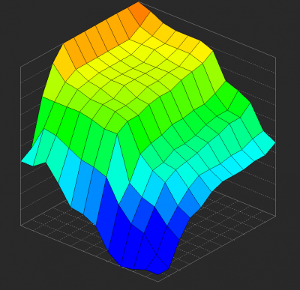
Once your main req_fuel parameter is adjusted, fuel delivery can be adjusted via the VE table (Settings->VE Table). The table is mapped for rpm vs boost. The larger the numbers, the more fuel to be injected at that load cell. Watch the feedback from the wideband sensor in the datalog to help you determine what direction to go. Tune for around .8 lambda under full load, 1.0 lambda at idle, and 1.1 lambda on light cruise.
Ignition Timing Tuning
The timing table is available under the Settings->Spark Table. Just like the VE table, the map is rpm vs boost. The numbers are in degrees. Typically the spark curve on a turbo engine will ramp up from low to high rpm with a 'dip' in timing at the torque peak which will be located where boost first hits peak. On a stock turbo this is typically around 3000 rpm, larger turbos will peak later.
Additional Information:
Store website: http://www.efiexpress.com
VEMS homepage: http://www.vems.hu (check the wiki for lots of great user-contributed information)
Support:
email: support@efiexpress.com
|